CSISD uses Frontline Absence Management to streamline requesting days off and coordinating subs where needed. This system is not currently linked to your district username and password. You will receive a separate email from Frontline. It will be sent to your personal email, the one you used when applying to CSISD.
If you can’t find the email with your login information, or something else about your login is incorrect, please submit a work order under Absence Management. These work orders are routed directly to the person who manages your logins.

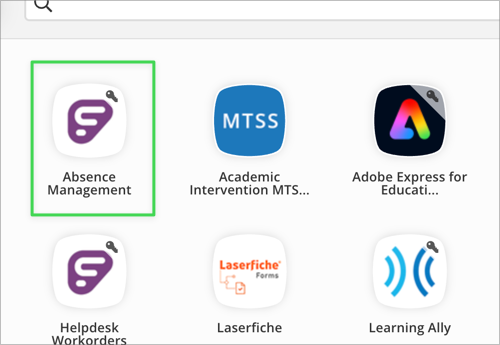
You can access Frontline Absence Management by clicking on the Absence Management icon on your Classlink launchpad.
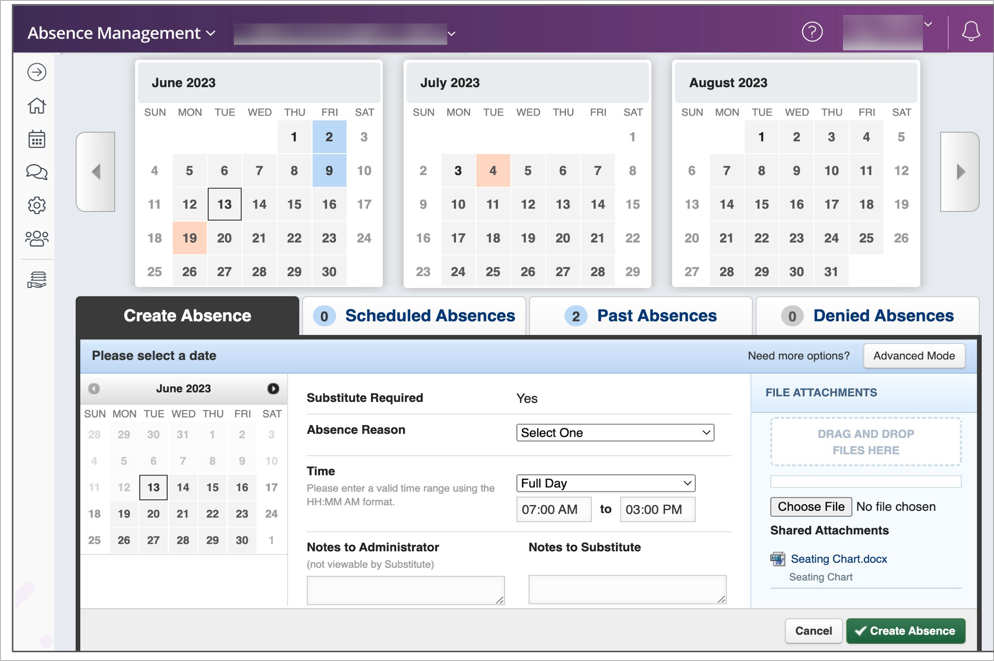
Log in to the frontline app using the username and password you received from Frontline. Once you log in, you can enter your absence under the Create Absence Tab. Enter the details for your absence, including the date of the absence, the reason, notes for the administrator or substitute, and attach any needed files. Then click “Create Absence,” and your absence will be scheduled and a sub (if required) will be scheduled for that day.
Frontline Absence Management has a mobile app available for your convenience. Click the button for your device to download the mobile app.